MAIN WORKSPACE
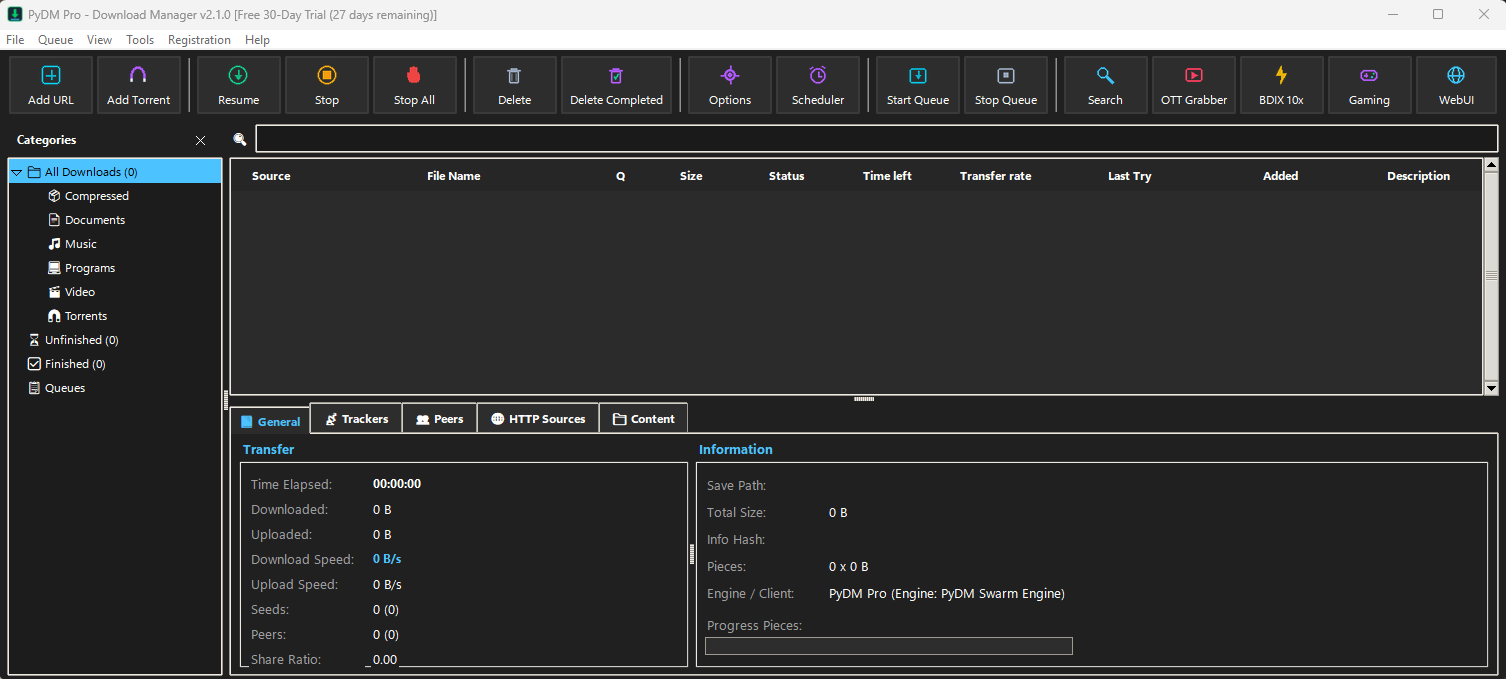 🔍 Click to zoom
🖥️ Main Command Center & Category Hub
Primary workspace featuring 16 quick-action controls, intelligent category filters, queue status, and live Swarm diagnostic telemetry.
DOWNLOAD DIALOG
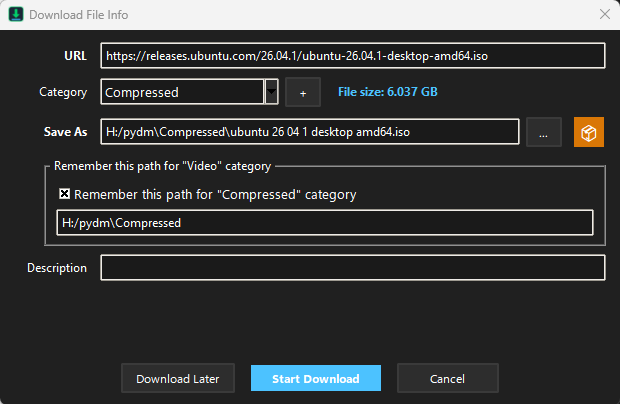 🔍 Click to zoom
📋 Smart Download File Info & Path Organizer
Instant link capture with auto-detected remote file size, category allocation, and custom 'Save As' path-remembering preferences.
TRANSFER ENGINE
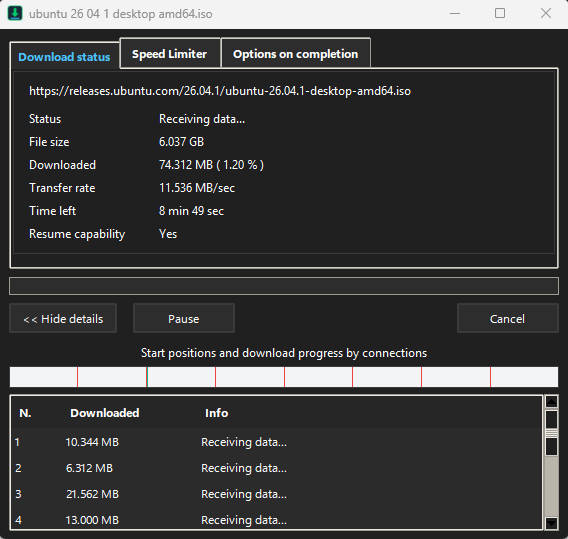 🔍 Click to zoom
⚡ Multi-Thread Turbo Transfer Engine
Live speed metrics (up to wire speed), segmented socket visualizer (1, 2, 3, 4...), speed limiter, and zero-stalling work-stealing.
BROWSER EXTENSION
 🔍 Click to zoom
▶️ One-Click Browser Video & Media Grabber
Native extension for Chrome, Edge, Firefox, Brave, and Opera that places a floating download button over web video players.
1. Download faster and more reliably
PyDM Pro accelerates downloads up to 10× using dynamic multi-segmentation. Comprehensive error recovery resumes broken or interrupted downloads due to lost connections, network dropouts, or unexpected PC shutdowns without losing progress.
🖼️ View Transfer Engine Visual
→
2. Powerful download engine
Unlike traditional accelerators that slice files before download begins, PyDM Pro segments files dynamically during the transfer process and reuses open TCP socket connections without repeated handshake delays for peak throughput.
🖼️ View Core Engine Visual
→
3. All popular browsers are supported
Full native integration with Google Chrome, Microsoft Edge, Mozilla Firefox, Opera, Brave, Vivaldi, and Chromium browsers. PyDM Pro automatically intercepts downloads from your favorite browsers with zero manual copy-pasting.
🖼️ View Browser Integration
→
4. Download selected files with one click
Select multiple links or files with your mouse on any web page, and PyDM Pro immediately captures all target URLs. Confirm with a single click, choose custom destination folders, and download entire batches effortlessly.
🖼️ View Download Dialog
→
5. Download files from your favorite web sites
Smart video and media grabber sniffs streaming videos and audio across popular websites and streaming portals. A floating "Download this video" button appears directly on video players for instant one-click high-definition grabbing.
🖼️ View Media Grabber
→
6. Built-in Scheduler
Automate your entire download queue. PyDM Pro can connect to the Internet at set times, process queued files, pause during peak hours, disconnect, or safely shut down or sleep your computer when all downloads are completed.
🖼️ View Scheduler Toolbar
→
7. Download categories
Automatic categorization sorts files into dedicated folders: Compressed, Documents, Music, Programs, Video, and Torrents. Customize rules, file extensions, and let PyDM Pro remember specific download directories per category.
🖼️ View Category Memory
→
8. Customizable Interface
Tailor PyDM Pro to your exact style. Customize toolbar button order, column visibility, and choose between 20 built-in dark and light themes (Windows 11 Fluent, Cyber Dark, macOS Aqua, Retro Aero) with crisp high-DPI scaling.
🖼️ View Interface Customization
→